
Smarter by Design.Simpler for Business
Response Based URL List
What Is the Response Based URL List Condition?
Response Based URL List is an advanced condition type that automatically detects the URLs called by a specific web page (JavaScript, CSS, images, API calls, etc.) by browsing it with a JavaScript-enabled virtual browser, and uses these URLs as a whitelist.
Same Host Restriction
The scan adds only the addresses belonging to the host of the starting URL to the list; third-party domains, CDN addresses and resources on a different subdomain or a different port are not included in the list.
URL Address:
https://example.com↓
TR7 Virtual Browser Scan
↓
Detected URLs:
/index.html
/assets/logo.png
/css/style.css
/js/app.js
/api/data
/index.html
/assets/logo.png
/css/style.css
/js/app.js
/api/data
↓
Match: Is the incoming request URL in the list?
With this condition, legitimate application traffic can be detected automatically, and access to URLs not in the list can be blocked.
The Importance of the Response Based URL List Condition
This condition provides a powerful whitelist mechanism for increasing the security of web applications.
With the Response Based URL List condition:
- Legitimate application URLs can be detected automatically,
- Access to unknown URLs can be blocked,
- Protection against web application scanning and fuzzing attacks can be provided,
- API endpoint discovery attempts can be blocked,
- The URL list can be updated easily when the application changes.
Scan Depth:
Starting from the initial URL, TR7 can perform a deep scan by following the links inside the page. The scan depth is controlled with the Max. Depth parameter.
Supported vService Types
HTTP
L7 TCP
Network
The condition can be used only at the request (At Request) stage.
How to Add?
A new Response Based URL List Condition can be added through the TR7 web management interface by following the steps below:
- The Configuration Menu is opened by clicking the TR7 logo at the bottom left.
- The Load Balancer → Conditions → Add steps are followed.
- Response based URL list is selected as Criteria.
- The related configurations of the condition are made.
- The condition is added by clicking the
Addbutton.
Response Based URL List Condition Add Form
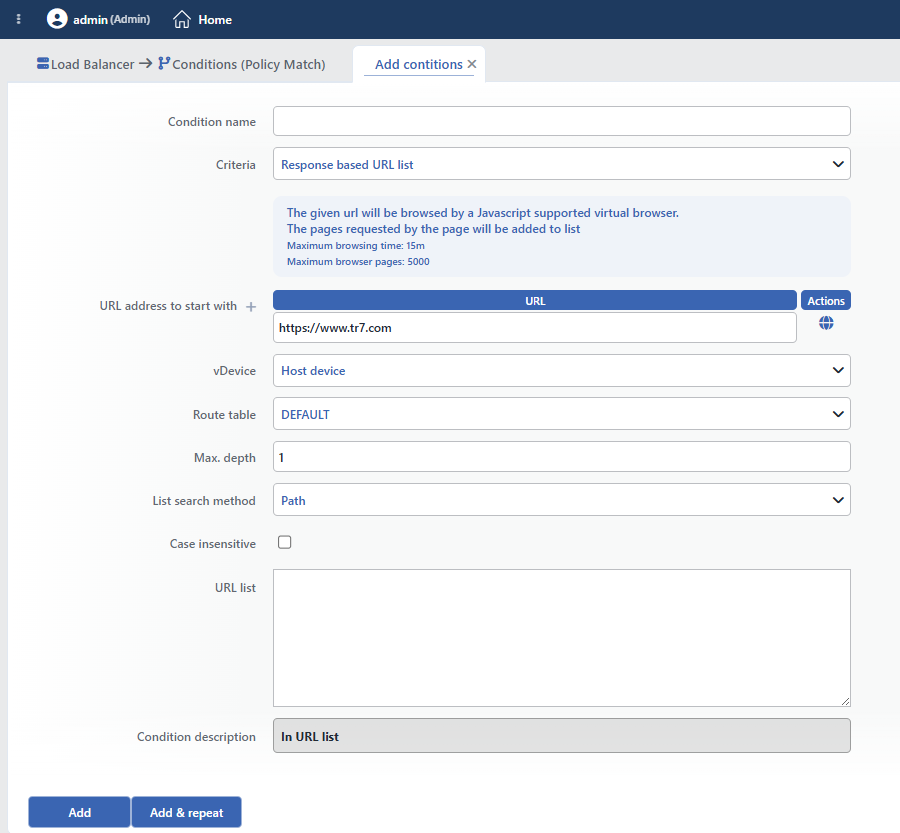 Response Based URL List Condition Add Form
INFO
Condition Name
An optional name can be entered for the condition to be created.
This field is especially important in the following scenarios:
- When many conditions are defined under the same vService,
- When conditions with similar criteria need to be distinguished,
- When it is necessary to quickly understand which business rule the condition represents.
When this field is left empty, TR7 analyzes the content of the related condition and creates an automatic, descriptive name in the Condition Description field. This generated description is used as the name in condition lists.
INFO
Criteria Required
The field that determines the type of the condition; Response based URL list is selected from the searchable dropdown list. This selection determines the fields displayed in the form. The criterion cannot be changed after the condition is saved: if a different criterion is needed, a new condition is defined. For all criteria in the list and their scopes, the criteria catalog on the Conditions page can be referred to.
INFO
URL Address to Start with Required
The full URL address of the web page to be scanned is entered.
Example:
https://www.example.comhttps://app.example.com/dashboardhttp://192.168.1.100:8080/app
 Information on the URL to Be Scanned
After the URL address is entered, the scan is started by clicking the globe (Browse / Scan) icon next to the row. More than one starting URL can be added line by line; each row has its own scan button. The scan is limited to at most 5000 pages and 15 minutes, and it is triggered only with this button: no automatic/periodic scanning is performed.
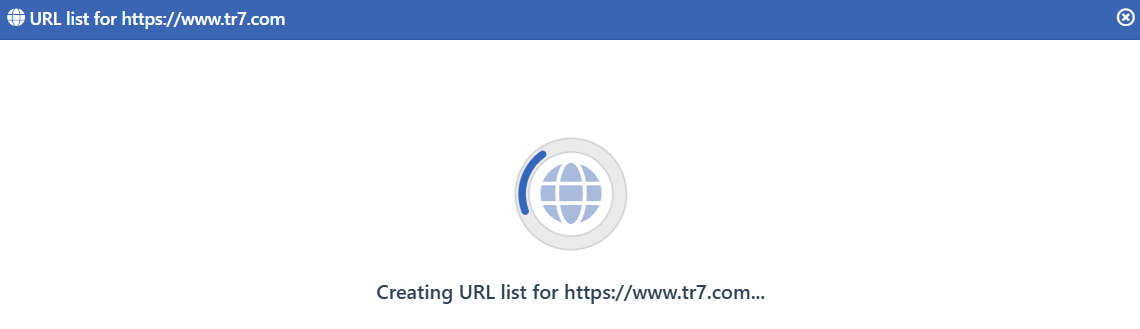 URL Scan
TIP
For HTTPS sites, TR7 must be able to access the target site. Self-signed certificates are accepted automatically.
INFO
Route Table
The route table through which the scan traffic will be sent is selected.
TIP
If the target site is on the internal network, the appropriate Route Table should be selected.
INFO
Max. Depth Default: 1
The scan depth is determined. It controls how many levels of links are followed starting from the initial page.
| Depth | Description |
|---|---|
| 1 | Only the starting page |
| 2 | Starting page + 1 level of links |
| 3 | Starting page + 2 levels of links |
| ... | Deeper scanning |
WARNING
High depth values can significantly increase the scan duration and the number of URLs found.
INFO
List Search Method
How incoming requests will be matched with the URL list is selected.
- Path: Only the path information is compared. (e.g.
/api/users) - Path + Query: The path and the query string are compared together. (e.g.
/api/users?id=1) - URL: The full URL is compared. (protocol + host + path + query)
- URL Without Query: The URL excluding the query string is compared.
TIP
For most scenarios, Path or Path + Query is sufficient. The URL option is useful in multi-domain applications.
INFO
Case Insensitive Default: Off
Controls case sensitivity.
- Active:
example,EXAMPLE,Exampleare considered the same - Not Active: An exact match is required (default)
INFO
URL List
The list of URLs found as a result of the scan is displayed in this field. This list is filled automatically and can be edited.
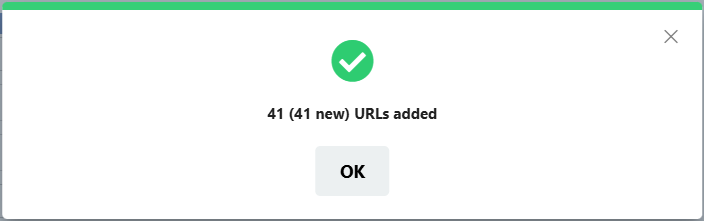 Scan Result Information
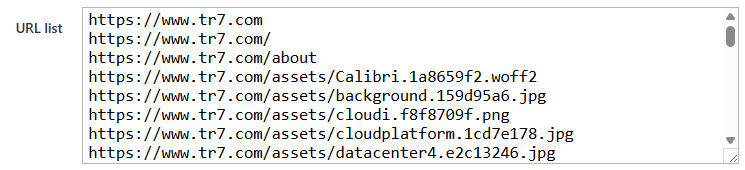 Scan Result URL List Information
List Features:
- It is filled automatically as a result of the scan; at the end of the scan, the notification "N (M new) URLs added" is shown.
- A new scan does not delete the existing list; it merges the found ones with the list: old URLs removed from the application must be cleaned up manually.
- URLs can be added or removed manually; rows must be entered in full URL format (
https://...): while the List search method Path or Path + query is selected, rows that are not full URLs are ignored. - In the condition evaluation, the match is one-to-one (exact match); no start/regex matching is performed.
INFO
Condition Description
It is created automatically by TR7. In this criterion, the description does not show the scanned address or the list content: a fixed text is produced ("IF is in URL list"). If more than one URL list condition is used, giving a descriptive name in the Condition Name field is recommended so that they can be distinguished.
INFO
Form Buttons
Add
The condition adding process is completed by clicking the Add button.
Add & Repeat
With the Add & Repeat button, the condition adding process is completed, and another new condition can be added with different configurations without leaving the related window.
 Condition Added
Operational Usage Recommendations
- Whitelist Security. By using this condition together with the NOT operator, access to URLs not in the list should be blocked.
- Regular Update. The URL list should be rescanned after application updates. Newly added endpoints must be included in the list.
- Scan Depth. The first scan should start with a low depth (2-3). The depth should be increased if necessary.
- Manual Review. The automatic scan results should be reviewed manually. Unnecessary or sensitive URLs should be removed from the list.
