
Smarter by Design.Simpler for Business
Checks
What Is Checks?
Checks gathers the main switches of the Path Check Fields inspections across the vService. The two switches manage the inspections in the rule detail panel by dividing them into two sets:
| Switch | The inspections it manages |
|---|---|
| Structure Checks | The limit, pattern and integrity inspections: the length/number/size/depth restrictions of all the sections (such as Key Length, Key Count, Total Size, Depth, Path Length, Raw Body Size), the value inspections (Value Length, Value Pattern, Value Count) and the Block Invalid inspections. |
| Argument Checks | The positive name lists: Allowed / Required Query Parameters, Allowed / Required Headers, Allowed JSON Keys, Allowed XML Keys, Allowed / Required Form Fields. |
When a switch is turned off, the related inspections are not produced at all and the fields of these inspections are hidden in the rule forms and in the detail panel; the values in the rules are not deleted, when the switch is turned on again they come into play with the same values.
The ones that are not affected by these switches
Allowed Methods, Block All JSON/XML/Form Contents, Allowed Upload Mime Types, Allowed Raw Body Mime Types, the Block Unparsed Contents and Block Unexpected Parser Errors switches of the RAW section and the OWASP signature scanning are independent of the Checks switches and continue to work while both switches are off as well.
The scope
The Checks settings are valid across the vService and are common in all the host groups.
The Checks Card on WAF Management
The Checks card in the Inspection & Blocking section of the WAF Management screen summarizes the state of the switches in sentences:
- While both switches are on, it writes Structure checks and Argument checks are applied to requests; if only one of them is on, the sentence takes the form Only … is applied to requests.
- While Argument Checks is on, the second line is seen together with the limit value: If a page's learned argument list grows past N entries, the list check is dropped for that page (N = the Max. Allowed Arguments value).
- While URL Decoding is on, the line URLs are decoded before inspection is added.
- The settings that are off are listed in a pale … are off line; if all three settings are off, the card goes dim and the Disabled badge is seen on it.
When the pencil icon at the top right of the card is clicked, the edit screen opens.
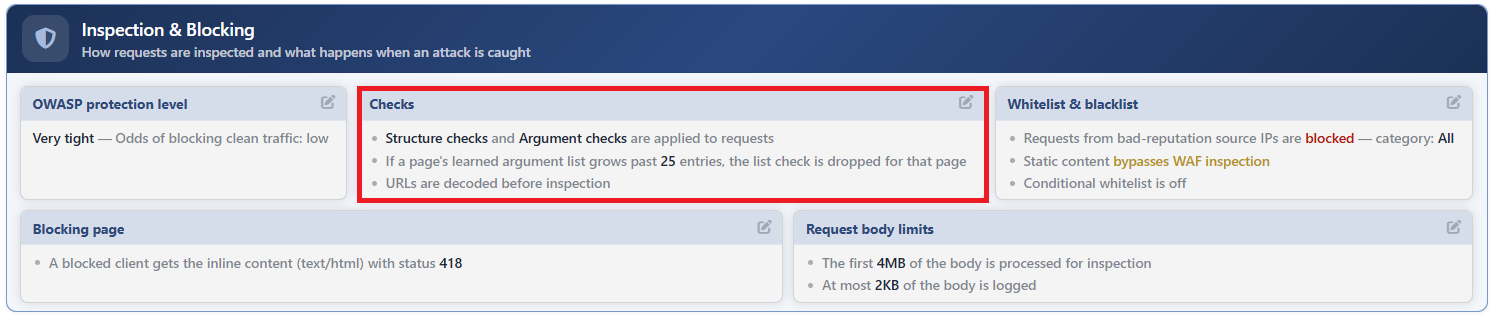 WAF Management - The Checks Card
The Checks Edit Screen
- The WAF Management tab is opened.
- The pencil icon at the top right of the Checks card in the Inspection & Blocking section is clicked; the editing window titled Checks opens.
- The following fields are edited and confirmed with the
Editbutton.
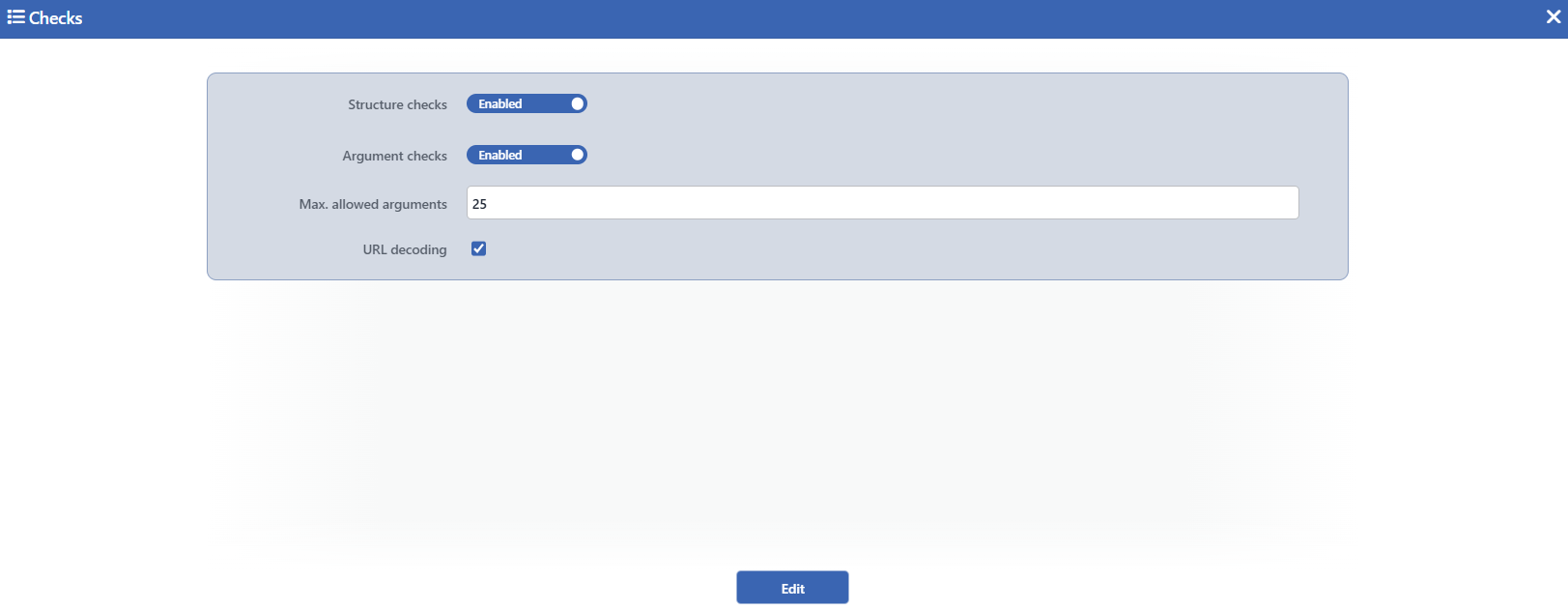 The Checks Edit Screen
INFO
Structure Checks Default: Checked
While it is checked, the structural limit, pattern and integrity inspections are applied: the length/number/size/depth restrictions of all the sections, the value inspections (Value Length, Value Pattern, Value Count) and the Block Invalid inspections. When it is turned off, these inspections are not run and the related fields are hidden in the rule forms and in the detail panel; it is checked by default.
INFO
Argument Checks Default: Checked
While it is checked, the positive name lists are applied: the Allowed / Required parameter, header, key and field lists. When it is turned off, these inspections are not run, the related fields are hidden and the traffic analysis does not produce an allowed/required name list suggestion; it is checked by default.
Max. Allowed Arguments Default: 25
It is displayed while Argument Checks is checked; when it is turned off, it is hidden in the form and its value is preserved. The maximum number of entries that can be kept in the Allowed lists of a page type (of a rule) is defined; only an integer, at least 1, can be entered in the field, its default value is 25. If the allowed name list of a rule exceeds this limit, the list inspection is disabled for that rule: since the positive list model loses its meaning on a page that uses a large number of different names, the inspection is dropped silently. The limit is applied to the lists the learning gathers as well and is valid for the lists entered manually too.
INFO
URL Decoding Default: Checked
While it is checked, the path of the request is URL-decoded once before all the inspections; the rule matching and the Path inspections work on the decoded path. When it is turned off, the path is evaluated in its encoded state; the signature scanning, on the other hand, scans the path in its decoded state as well in every case. The decoding behavior of the query and form values is independent of this setting. It is checked by default.
INFO
Edit
The changes in the form are saved by clicking the Edit button; the button becomes enabled when no error remains in the form. There is no additional confirmation window or deployment (deploy) step; the WAF configuration is automatically produced again and applied.
The mode behavior
The inspections that the Checks switches turn on work only in the Blocking and Monitor modes; they are not run in the Learning mode, instead the restriction suggestions are learned from the observed traffic. Both switches are on by default but since the vService starts in the Learning mode, the inspections do not turn into blocking; the effect of the switches is seen when the Monitor and Blocking modes are passed to.
