
Smarter by Design.Simpler for Business
Request Body Limits
What Is Request Body Limits?
Request Body Limits manages the relationship of WAF with the request body with three limits: how much of the body will be processed for the inspection, how much of the body will be written into the attack record and how long will be waited for the body to be completed.
The processing limit determines the size of the body parsing buffer: the parsing buffer is the greater of the Buffer Size value in the vService limit profile and the Max. Body Size to Process value here. A body that does not fit into the buffer is not parsed at all, not partially; in this case the behavior is determined by the Block Unparsed Contents setting in the RAW section.
The scope
The Request Body Limits settings are valid across the vService and are common in all the host groups.
The Request Body Limits Card on WAF Management
The Request Body Limits card in the Inspection & Blocking section of the WAF Management screen summarizes the limits with readable units: the lines The first 4MB of the body is processed for inspection, At most 2KB of the body is logged and, if the body waiting is on, Body completion is awaited for up to …. The line of a limit whose value is 0 is not seen on the card.
When the pencil icon at the top right of the card is clicked, the edit screen opens.
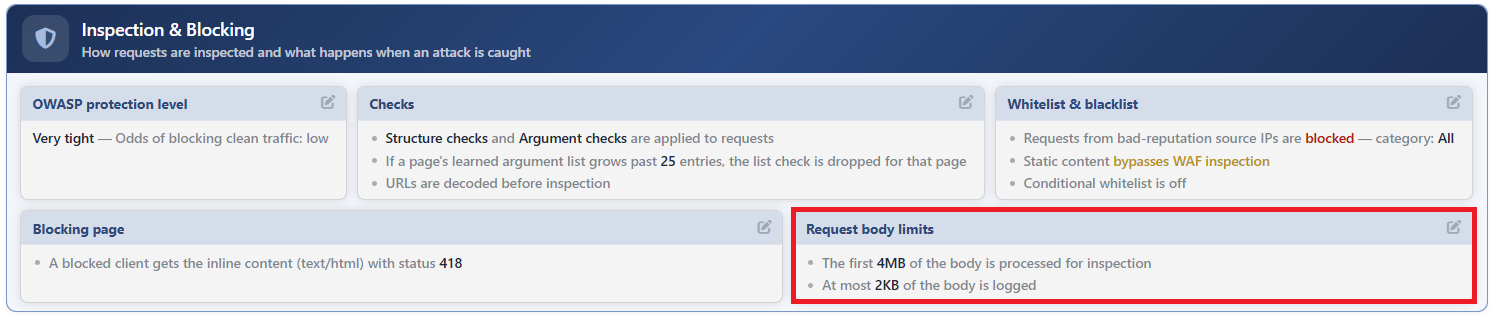 WAF Management - The Request Body Limits Card
The Request Body Limits Edit Screen
- The WAF Management tab is opened.
- The pencil icon at the top right of the Request Body Limits card in the Inspection & Blocking section is clicked; the editing window titled Request Body Limits opens.
- The following fields are edited and confirmed with the
Editbutton.
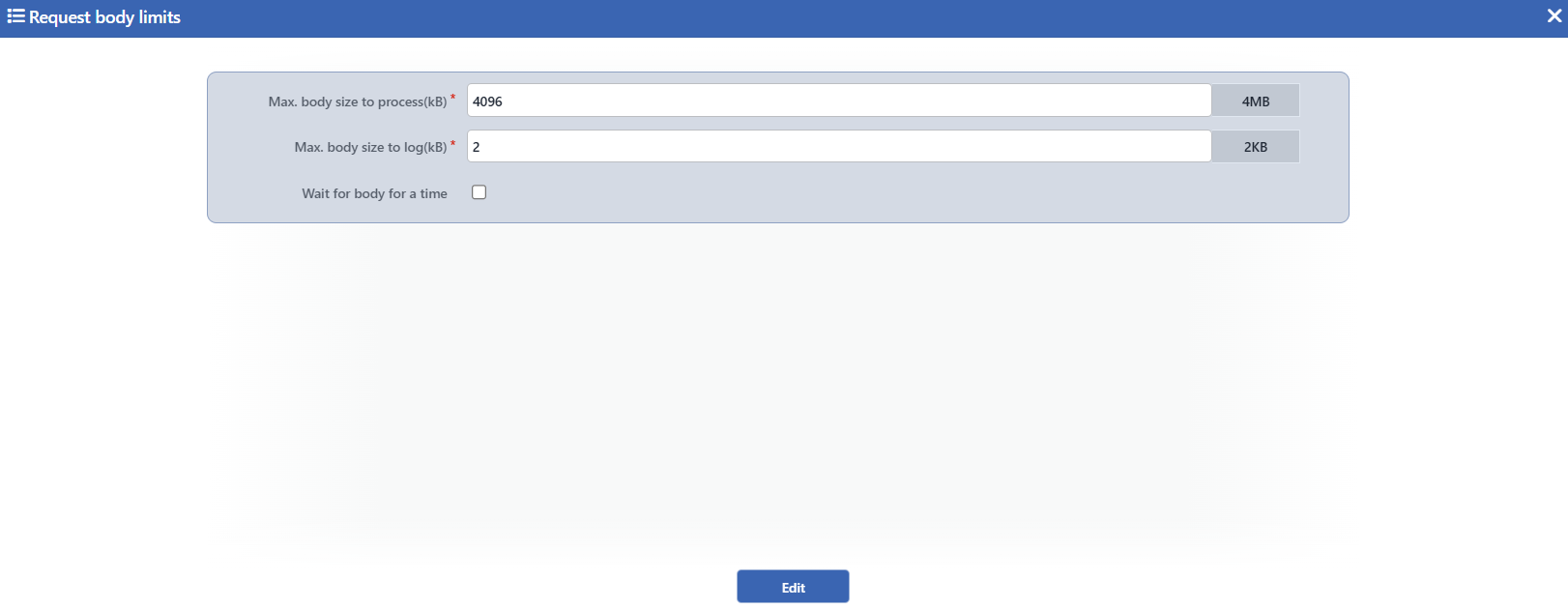 The Request Body Limits Edit Screen
INFO
Max. Body Size to Process (kB) Default: 4096 kB
The upper limit of the body size to be processed for the inspection is defined in kilobytes; an integer between 1 and 262144 can be entered in the field and next to the field the readable counterpart of the value (for example 4MB) is shown. Its default value is 4096 kB (4 MB). The parsing buffer is allocated as much as the greater of this value and the Buffer Size value in the vService limit profile; a body that does not fit into the buffer is not parsed and the fate of the request is determined by the Block Unparsed Contents setting in the RAW section.
INFO
Max. Body Size to Log (kB) Default: 2 kB
The upper limit of the body size to be written into the attack record is defined in kilobytes; an integer of 0 or greater can be entered in the field and the value cannot exceed the Max. Body Size to Process limit. Its default value is 2 kB. A body that fits into the limit is written into the Event Logs attack record with all of it; a body that exceeds the limit is left out of the record entirely, not by being trimmed, and when 0 is entered, the body is not written into the attack record at all. The caught slice of the signature hit is independent of this limit and is managed with the Detailed Log setting.
INFO
Wait for Body for a Time Default: Not checked
It changes the body waiting behavior; it is not checked by default. While it is not checked, the inspection waits for the body to be completed (or for the buffer to be filled). When it is checked, it is waited only as long as the time defined below; the time limits how long the inspection holds the request in the bodies that are sent slowly.
Time to Wait Body Default: 300 ms
With this field that appears in the form when the box is checked, the longest time to be waited for the body to be completed is defined in milliseconds or seconds; the default is 300 ms. When the time runs out, the uncompleted body counts as unparsable and its behavior is determined by the Block Unparsed Contents setting in the RAW section.
INFO
Edit
The changes in the form are saved by clicking the Edit button; the button becomes enabled when no error remains in the form. There is no additional confirmation window or deployment (deploy) step; the WAF configuration is automatically produced again and applied.
Before lowering the limits
The processing limit determines the input of all the inspections that carry a body (JSON, XML, Form, RAW): lowering the limit may lead to the legitimate requests with a big body falling into an unparsable state and, while Block Unparsed Contents is on, to their being blocked. Lowering the log limit, on the other hand, may remove the body quotation in the attack records entirely; the limit works all-or-nothing.
